
What is the Openreach ONT box?
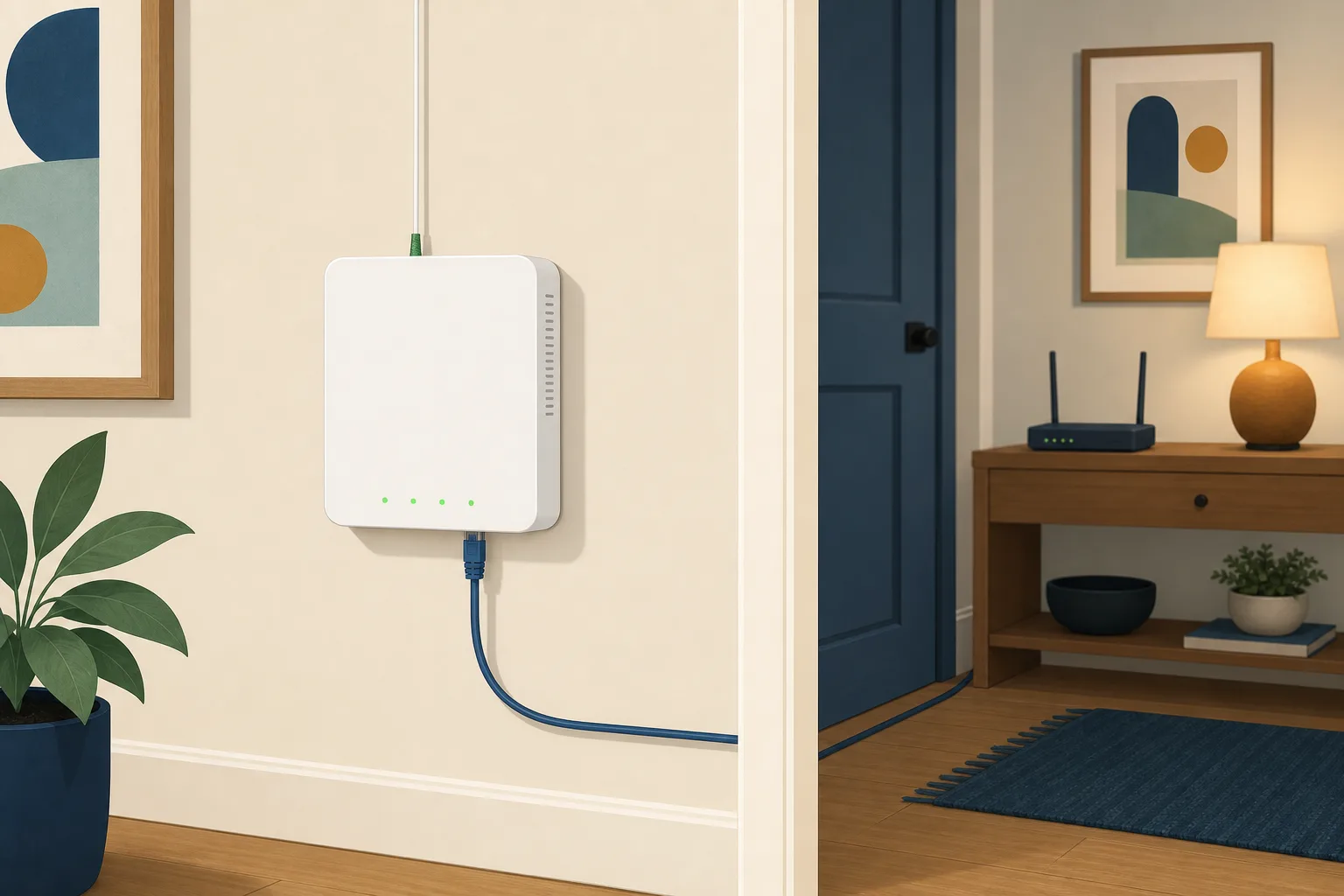
The engineer finishes, the broadband works, and there's a small white box screwed to the wall that nobody really explained. On most full fibre homes in Britain that box is the Openreach ONT, and it's quietly doing the part of the job your router can't. It's also the one bit of kit in the house you're told not to touch, which tends to raise more questions than it settles.
What is the Openreach ONT box?
ONT stands for optical network terminal. It's the point where the fibre stops being light and starts being something your router understands. The green connector underneath is the fibre coming in from the street, the socket beside it hands an ordinary Ethernet connection out to your router, and the third lead is mains power.
This is the real difference between full fibre and the part-fibre services that came before it. On an older FTTC line the fibre stopped at a green cabinet down the road and copper covered the last stretch, so the thing on your wall was a phone socket. Full fibre brings the glass all the way in, and something has to translate it at the end. That's the ONT. Openreach also calls it a modem, some providers call it network terminating equipment or an NTE, and it's all the same box.
You'll sometimes see it described as the reason full fibre is fast. It isn't. The speed comes from the fibre and the package you bought. The ONT is a translator, not an engine.
Why does the ONT need to be plugged in?
Because turning light into an electrical signal takes power, and the box has no other source of it. Openreach is blunt about what follows in its guidance on equipment in the home: unplug the power supply and the broadband stops immediately.
This catches people out, because the thing it replaced didn't work that way. A copper phone line carried its own power from the exchange, so a corded phone still worked when the lights went out. Full fibre carries no power at all. Your connection now leans on your electricity supply in a way the old line never did, and that's a real trade-off rather than a footnote.
What happens to the ONT in a power cut?
It stops. So does everything running through it: no broadband, and no phone either if your landline has already moved onto the internet.
There's a protection for the households where that matters most. Ofcom expects providers to offer at least one hour of access to the emergency services during a power cut at home, free of charge, to customers who depend on their landline to make that call. Usually that arrives as a battery unit keeping the ONT and the router alive, though a provider is allowed to solve it another way, such as a mobile handset.
The part worth reading twice is who it's for. The obligation is built around people who are dependent on the landline, so it isn't handed to every customer automatically. If somebody in your house would struggle to reach 999 on a mobile, that's a conversation to have with your provider rather than something to assume has been sorted. Our guide to broadband without a landline covers what else changes when the phone moves across.
Do altnets fit the same box?
No, and this is where the wall starts getting crowded. An altnet that has built its own fibre network fits its own ONT, because the box has to talk to the network behind it. The badge and the shape change. The job doesn't.
Which makes the equipment a useful clue to something the bill often hides: which network you're actually on. Plenty of well-known providers sell over Openreach, some sell over a wholesale altnet, and a few run their own build. The box narrows it down. But if you're trying to work out what's available where you live, checking your address is the only reliable answer.
What happens to the ONT when you switch provider?
If your new provider sells over the same network, the box stays exactly where it is. It belongs to the network operator rather than to the provider, so a switch means a change of who bills you and usually a new router in the post. Nobody comes to the door.
Moving to a different physical network is a different job. One Touch Switch, the process that made changing provider a single phone call, was built around providers sharing infrastructure, so a move from an Openreach line to a network like CityFibre or Hyperoptic falls outside it and has to be arranged with both ends. It also means an installation, and the new network fitting its own equipment. The practical steps are in our guide on how to switch to an altnet.
What to leave alone
- The green fibre connector. This is the one that really matters. Unplugging it exposes a polished glass tip that needs a specialist cleaning tool before it goes back in, so a curious afternoon can turn into an engineer visit.
- The power lead. Leave it in. If you're hunting for a socket to reclaim, this isn't the one, and switching it off at the wall takes your broadband with it.
- The box itself. It's fixed infrastructure and it isn't yours to remove, even if it's feeding a service you cancelled two years ago.
- The router, though, is fair game. Restarting the router is the standard first move when something is slow or dropping, and it doesn't disturb the ONT at all.
If the position of the box is a real problem rather than an irritation, raise it before the install. Engineers have some flexibility about where the cable comes in and where the box lands, and almost none about moving it afterwards. In a flat there's often less choice again, for reasons covered in who has to say yes to full fibre in a block.
Our view
The ONT is the least interesting box in the house and the one most worth understanding, because it's where two comfortable assumptions about full fibre turn out to be wrong. It isn't what makes the connection fast. And it's the reason the connection now goes down with the electricity, which the line it replaced did not.
None of that is an argument against full fibre. It's an argument for knowing what you're relying on, and for asking your provider about backup if somebody in the house would need the phone in a power cut. If you're still working out which networks reach you at all, start with your address.
Frequently asked questions
Can I move the ONT to a better spot in the house?
Not yourself. The fibre going into it is cut to a fixed length, and the connector needs specialist cleaning if it is ever unplugged, so moving the box is an engineer visit rather than a job for a Saturday. If the position is unworkable, say so before the install rather than after.
Do I own the ONT?
No. The router is normally yours or on loan from your provider, but the ONT belongs to the network that built the line and stays with the property. That is also why nobody asks you to post it back when you leave.
Can I plug a computer straight into the ONT?
Physically yes, and it will do nothing useful. The ONT hands over a connection your provider still has to authenticate, which is the router's job. Some providers let you swap their router for your own. None of them let you skip it.
Why has my ONT got a red light on it?
A red or flashing light usually means the box cannot see the network, rather than that the box itself has failed. So it points at the line or the exchange rather than anything in the house. Report it to your provider, not to the network operator, because your contract is with the provider.
Will I get a second box if I switch to an altnet?
If the altnet has built its own network, its engineer fits its own equipment, so the old box normally stays on the wall doing nothing. Some homes end up with two. Ask whether the old one can be taken away if it bothers you, but do not pull it off yourself.